



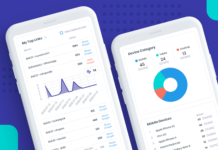

















The Ultimate Guide to Link Tracking & Analytics
HeyLink.me analytics help you turn raw clicks into clear, actionable insights — showing which content works, where your audience comes from, and how your reach changes over time.
Why analytics matter (beyond vanity metrics):
- Make better content decisions: Knowing which links perform best helps you create more of what resonates.
- Spend smarter: Attribute conversions to the right channels so ad spend and partnerships aren’t wasted.
- Time posting for impact: Find the hours and days that drive the most action.
- Grow strategically: Spot emerging audiences (cities, countries, devices) and serve them relevant content.
Key metrics you should track:
- Views: How many times your HeyLink.me page was opened — the reach metric.
- Clicks: How many link taps occurred — the direct action metric.
- Unique visitors: Distinct IP-address sessions — useful for spotting repeat vs new traffic.
- CTR (Click-Through Rate): Clicks divided by views, expressed as a percentage. CTR helps you compare placements and creatives at scale. Example: if a page has 10 views and 20 link clicks, CTR = (20 / 10) * 100 = 200%. HeyLink.me shows analytics ranging from the last week up to six months.
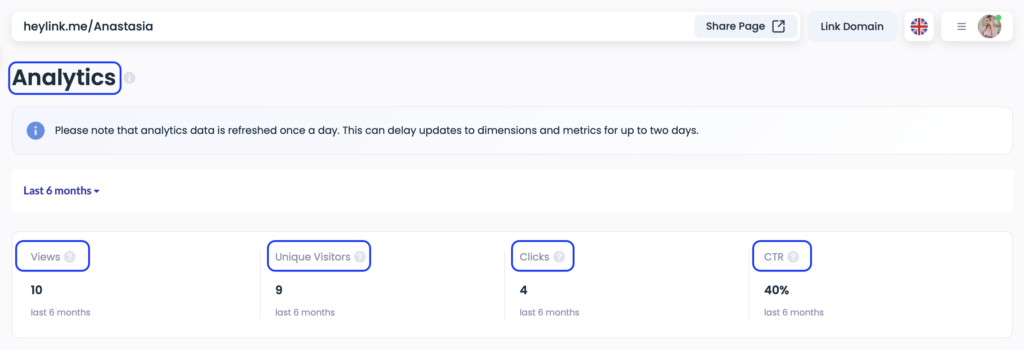
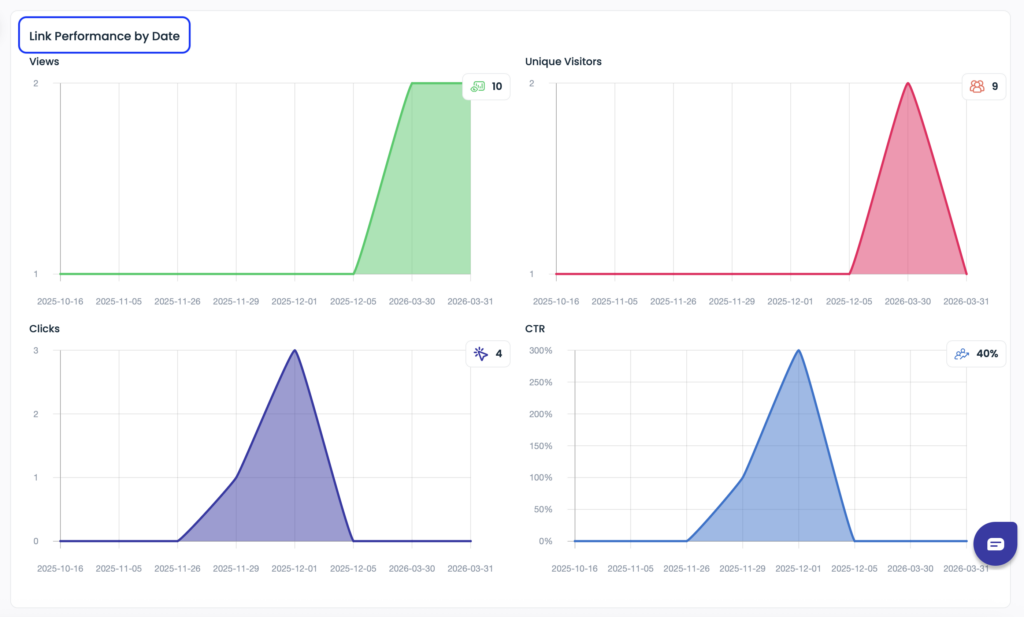
Once you understand the basics, you can explore the full Analytics dashboard. Data is organized by date ranges (1 week or 1 month), visitor location (countries and cities), top-performing links, device types, and referrers.
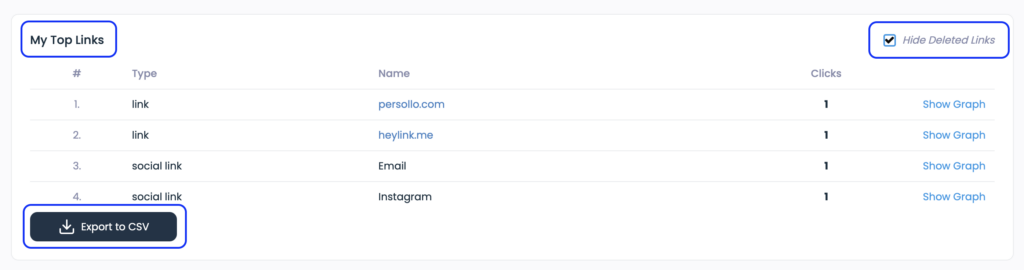
Top-performing links shows: which links/blocks on your HeyLink.me page collected the most clicks and conversions.
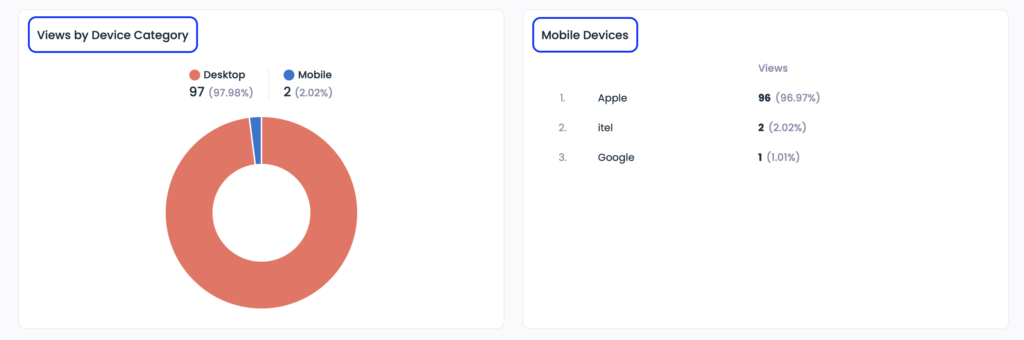
Device types shows breakdown of views by device (mobile, tablet, desktop).
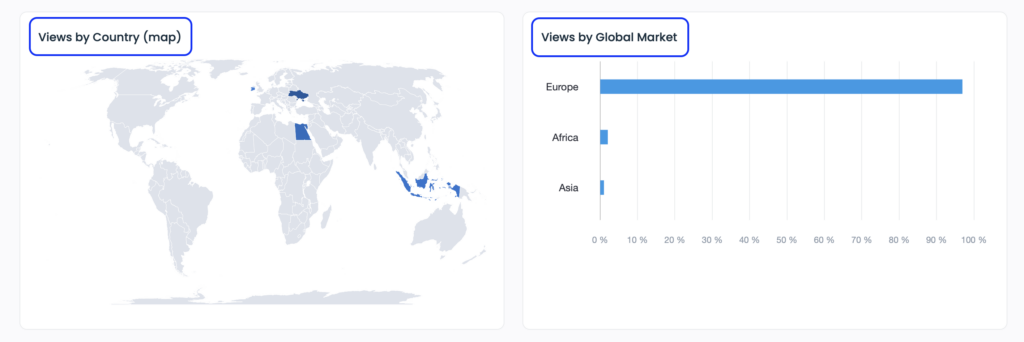
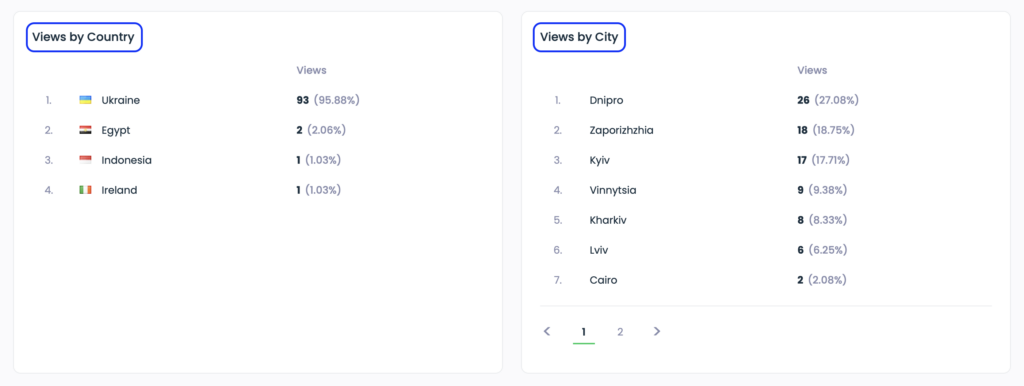
Visitor location (views by countries and cities) shows geographic distribution of your audience at country and city levels.
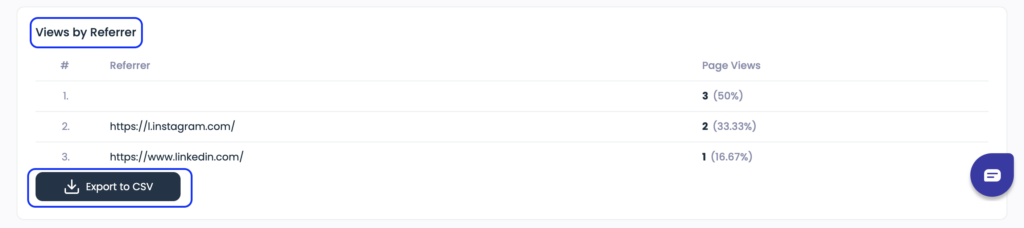
- Referrers: Which platforms or pages sent visitors (Instagram, TikTok, email, other sites). The more places you share your HeyLink.me, the greater the chance of finding new followers and growing your community.
HeyLink.me’s QR code analytics lets you connect physical touchpoints to your digital page. Useful for print, events, packaging, menus, and posters:

Pro tips to get the most from HeyLink.me analytics:
- Create campaign-specific HeyLink.me pages. One page per campaign (product launch, newsletter, seasonal push) prevents data pollution and makes results easier to interpret.
- Use unique short links and consistent UTM tags. Source + medium + campaign naming lets you roll up HeyLink.me data into Google Analytics or your reporting stack later.
- Schedule fresh content and rotate the top link. Small changes in headline or button text can move CTR — treat your page like a mini A/B experiment.
- Compare similar placements. Don’t compare a static bio link with a Story link — compare Stories to Stories, emails to emails. That gives you fair, actionable insights.
- Export and analyze. Free & Pro users can Export to CSV. Pull data into a spreadsheet to create custom charts or ROI calculations.
If you have any questions, please contact our customer support team via the live website chat or via support@heylink.me