










The creator economy isn’t slowing down. If anything, it’s moving faster – louder, busier, more competitive. Every brand, creator, and side-hustler suddenly needs one thing:
A clean, optimized link-in-bio page that actually converts.
That’s where the Heylink.me agency plan enters the picture.
But how do agencies really use it? And can I also use it if I’m not an agency?
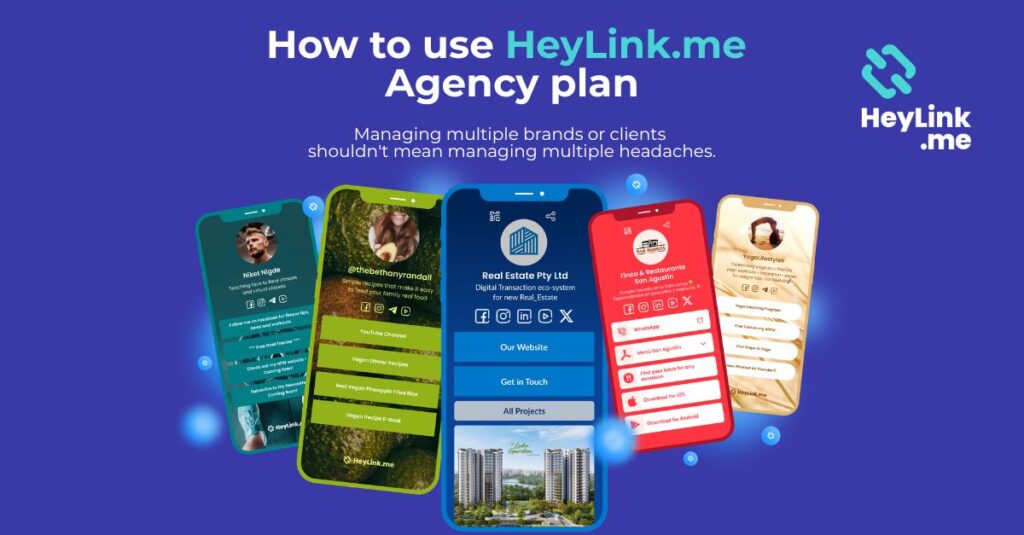
Absolutely! At its core, Heylink.me agency plan is designed for teams managing multiple clients’ link-in-bio pages under one umbrella account. This feature will allow you to log in to a HeyLink.me dashboard and easily switch between the accounts that you own.
The Heylink.me agency plan solves three main problems:
- Centralized dashboard control
- Separate link-in-bio environments per account
- Streamlined billing and scaling
Instead of logging in and out of ten different accounts like a sleep-deprived social media manager, everything stays organized in one system.
And organization, in digital marketing, equals sanity.
Why Agencies Should Care About a High-Performing Link in Bio
Here’s a hot take: Most agencies underestimate the power of a properly built link in bio.
They treat it like a placeholder. A necessary evil. A box to check.
Big mistake.
That small landing page is often the first step in the conversion funnel. It’s where social traffic turns into:
- Email subscribers
- Customers
- Webinar signups
- Product clicks
- Affiliate conversions
According to HubSpot’s marketing research, structured landing pathways significantly increase conversions. A link hub is essentially a micro landing page – so why not treat it like one?
Agencies that optimize this space intentionally see measurable lift in client performance metrics.
And clients notice.
Setting Up the Heylink.me Agency Account – Step by Step
Signing up for Heylink Agency Account is simple, with flexible pricing starting at just 3 accounts. But first things first.
1. Sign up for Heylink me account
First and foremost, you need to create a basic Heylink.me account. You can sign up here. Once you are inside of the dashboard, navigate to the Agency tab.
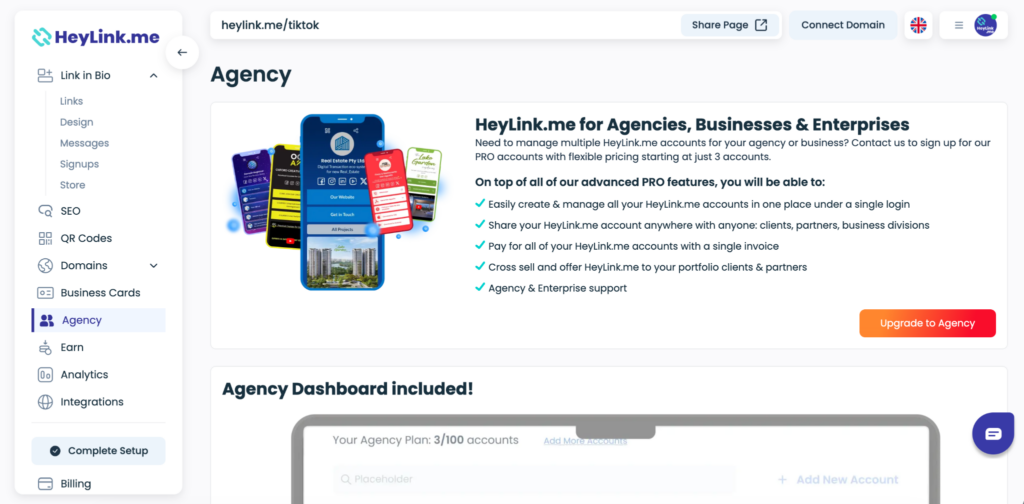
2. Choose the Agency Plan Tier
Select the amount of accounts that supports the number of accounts you manage. Think realistically – not optimistically.
If in the future you need to purchase additional accounts, you can do it here as well.
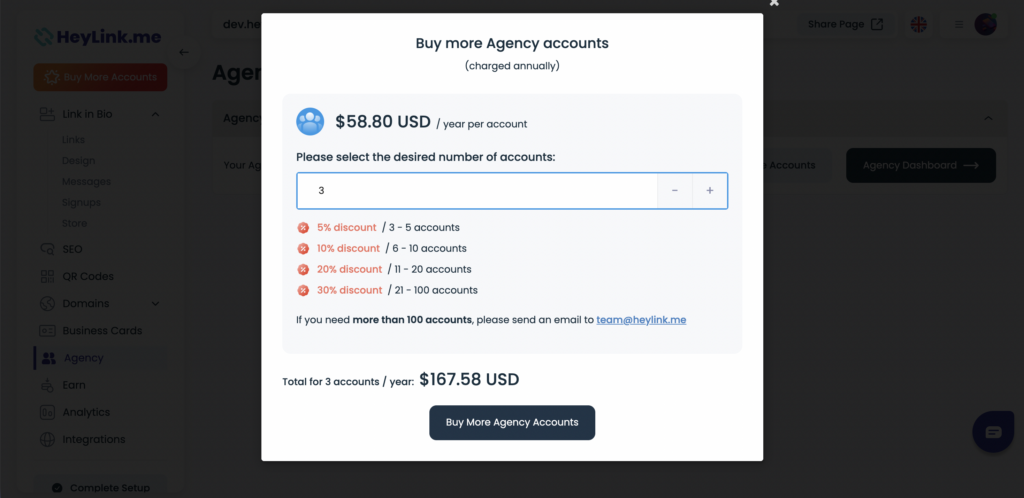
3. Proceed to the Agency Dashboard
Once you have purchased your Agency accounts, you will see this view. Here you can either purchase additional Agency accounts or proceed to the Agency Dashboard:
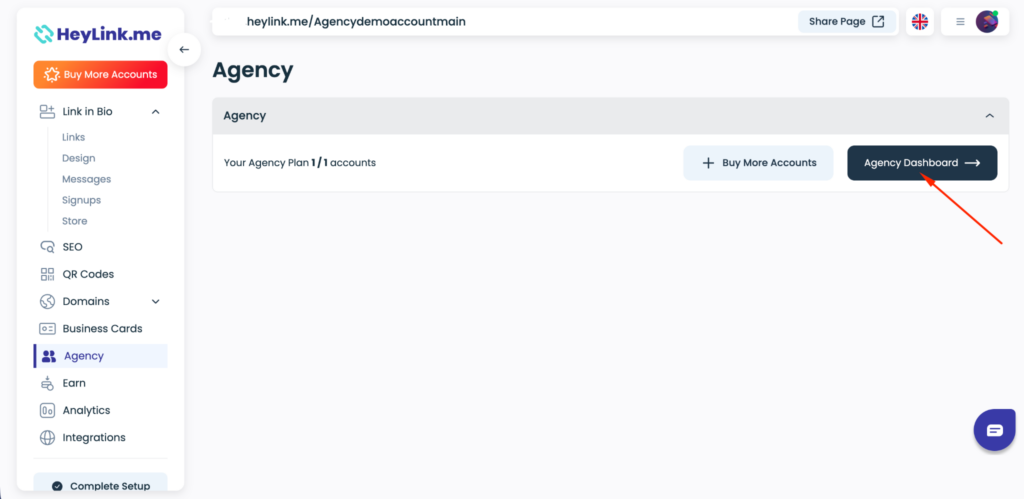
You will be required to login to your Agency account using the same credentials as your Heylink.me account.
Alternatively, you can also sign in to the Heylink.me Agency dashboard via this link. This becomes mission control. Inside the dashboard, you can:
- Create separate client account pages
- Manage access to each account
- Purchase additional Agency accounts
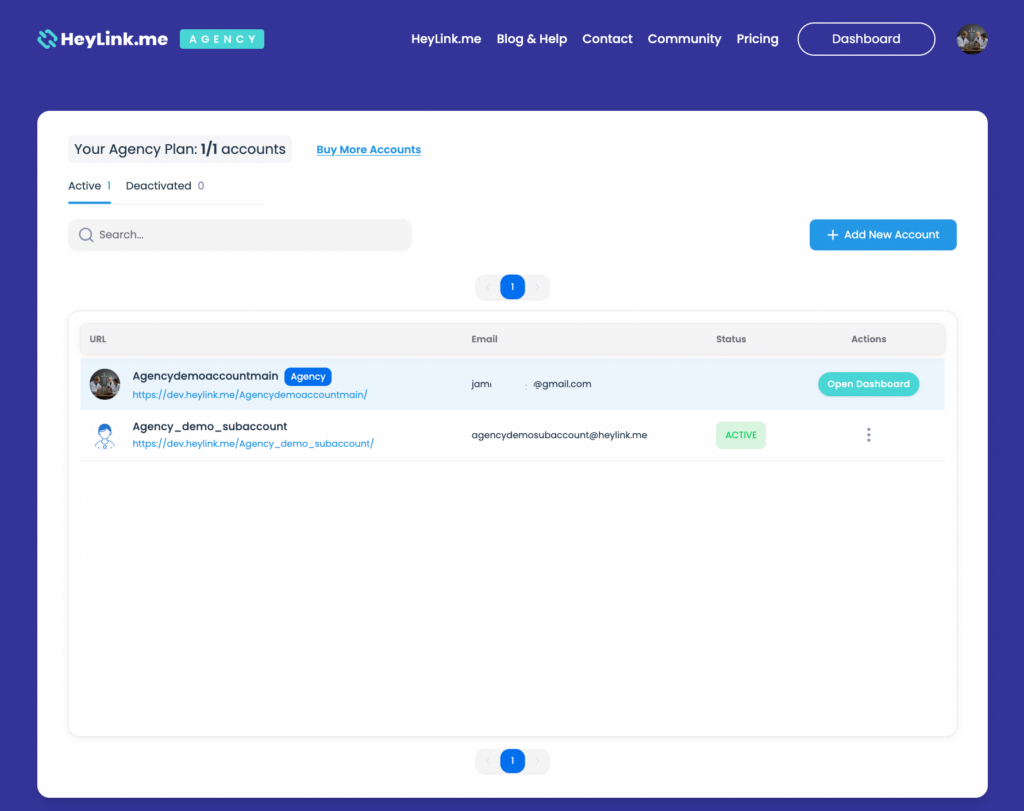
Creating subaccounts in the Agency Dashboard
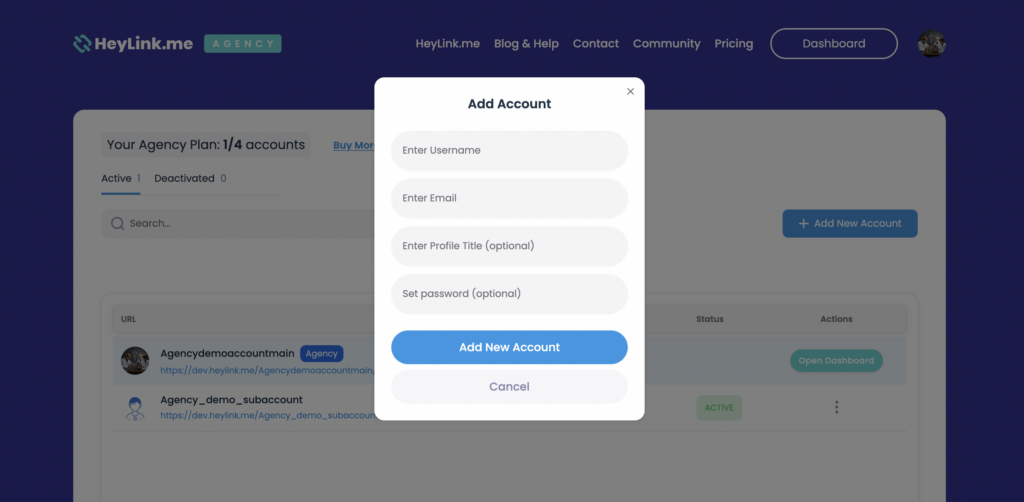
Creating subaccounts in the Agency Dashboard is very straightforward. Simply click on the “+Add New Account” button and fill out the required fields (you can edit those later as well):
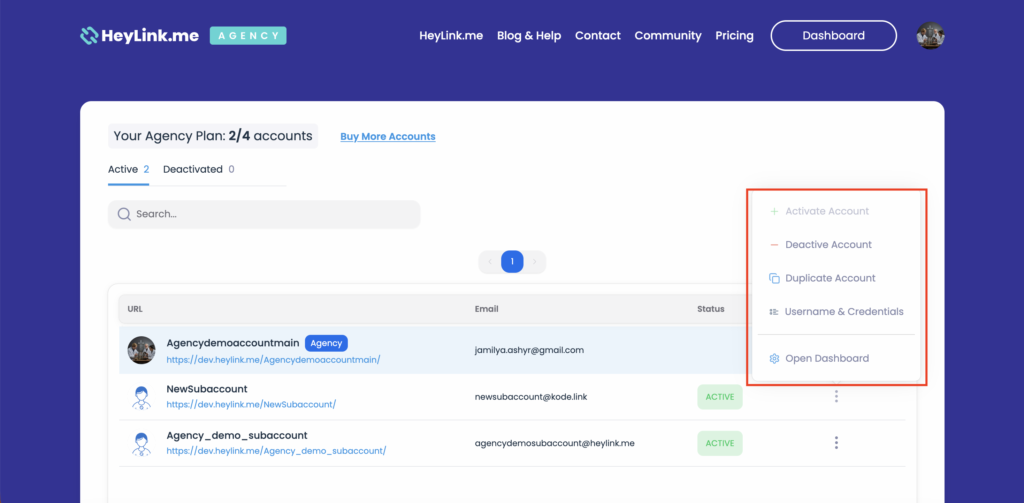
Once you have created your subaccounts, you can view them in your Agency Dashboard. There are also multiple actions available for those accounts:
- Activate / Deactivate Account – if for some reason you’d like to deactivate your subaccount without deleting it, you can deactivate it temporarily and activate it back when it’s needed again.
- Duplicate Account – this will create a copy of the selected subaccount.
- Change Username / Credentials – this will allow you to change your subaccount’s Title, Username, Email and Password.
- Open Dashboard – this action will direct you to that user’s Heylink.me dashboard so you can customize it to your preferences.
Custom Domains and Branding – Worth It?
Short answer?
Yes.
Long answer?
Absolutely yes – if the client takes branding seriously.
Using a custom domain attached to a link in bio page:
- Increases credibility
- Improves brand perception
- Feels more premium
- Can slightly boost trust metrics
Compare:
- randomlink.heylink.me
vs
- links.clientbrand.com
Huge difference, visually and psychologically.
If you want to learn more about Custom Domains on Heylink.me, check out this article.
Final Thoughts on Using the Heylink.me Agency Plan
Heylink.me agency plan isn’t just a convenience tool. It’s a framework – a structured way to manage multiple link in bio accounts under one roof.
Agencies who treat it as part of a broader growth engine – integrating analytics, monetization, branding, and strategy – will see measurable impact.
Handled well, it becomes the quiet workhorse of a client’s digital presence. Handled poorly, it becomes just another forgotten URL sitting in a profile.
The choice – as always in marketing – comes down to intention.
And execution.