



A QR code can connect a customer to your product, website, social media, or next big offer in seconds. But what happens when someone scans it and lands on a confusing page, a broken link, or content that has nothing to do with what they expected?
One tiny square can make a big difference to the customer experience.
According to Uniqode’s State of QR Codes 2026 research, 98% of surveyed marketers reported a positive impact from QR codes, yet only 12% connected QR code activity to revenue impact. The report surveyed 524 marketers and 1,000 consumers and analyzed 188 million scans. While these findings reflect a specific industry study, they highlight an important challenge: businesses need to look beyond scans and measure meaningful results.
So, how can you avoid the most common QR code mistakes and make every scan count?
1. Giving People No Reason to Scan
A QR code with the words “Scan here” doesn’t give customers much motivation. People are more likely to understand the value of scanning when the benefit is clear.
Think about the difference between these two messages:
- “Scan here.”
- “Scan to discover your personalized skincare routine.”
The second gives people a reason to act.
How to fix it: Pair your QR code with a clear, benefit-driven call to action.
- Restaurants: “Scan to explore our menu.”
- Retail brands: “Scan for styling inspiration.”
- Event organizers: “Scan for the schedule and speaker lineup.”
- Freelancers: “Scan to explore my portfolio.”
Make the benefit relevant to the audience and the context. The goal isn’t simply to get a scan — it’s to give people a reason to take the next step.
2. Sending Customers to the Wrong Page
Imagine scanning a QR code on a product package only to land on the company’s generic homepage. Now you have to search for the product, find its details, and navigate through several pages.
That’s not a shortcut. It’s extra work.
How to fix it: Match the destination to the place where the QR code appears.
| R code placement | Recommended destination |
|---|---|
| Product packaging | Product details or a tutorial |
| Restaurant table | Digital menu |
| Business card | Portfolio and contact details |
| Event poster | Registration or event schedule |
| Retail display | Product comparison or demonstration |
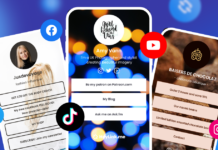
For creators and small businesses, a link-in-bio page can be especially useful. With HeyLink.me, you can create a customizable page that gives visitors a convenient starting point for discovering your work.
3. Overlooking Design, Mobile Experience, and Trust
A QR code can look great in a design mockup but fail when printed. It might be too small, lack contrast, or have important parts obscured by a logo or decorative elements.
Even if the scan works, the destination might be difficult to use on a phone. Tiny text, slow-loading pages, intrusive pop-ups, and unclear navigation can quickly discourage visitors.
Trust matters, too. People should understand where a code leads before scanning it.
How to fix it:
- Use sufficient size and strong contrast.
- Leave clear space around the code.
- Test customized designs and logos before printing.
- Make sure the destination is mobile-friendly and loads reliably.
- Use recognizable branding and explain what visitors will find.
- Check that the destination is secure and that the printed code hasn’t been tampered with.
Always test the final printed version on a real phone, under realistic lighting conditions. A QR code is only useful when people can scan it easily and feel confident about what happens next.
4. Using QR Codes You Can’t Update
Imagine printing thousands of flyers with a QR code linking to a seasonal promotion. When the offer ends, you want to redirect visitors to a new campaign.
If the destination is encoded directly into a static QR code, you generally can’t change it without creating and distributing a new code.
That can mean wasted printing costs and outdated marketing materials.
How to fix it: Consider whether a dynamic QR code makes sense for your campaign.
- Static QR codes contain their destination information directly and are suitable for links that won’t need to change.
- Dynamic QR codes typically use a managed redirect, allowing the destination to be updated without replacing the printed code. Depending on the provider, analytics may also be available.
Dynamic codes can be useful for menus, seasonal offers, product campaigns, and long-running printed materials. Before choosing one, check the provider’s pricing, analytics, reliability, and what happens if your subscription ends.
Planning for updates before printing can save time, money, and unnecessary reprints.
5. Using One Code for Every Campaign — and Never Measuring Results
A thousand scans might look impressive. But did those people book appointments, register for an event, visit a product page, or make a purchase?
Scan volume alone doesn’t tell the whole story.
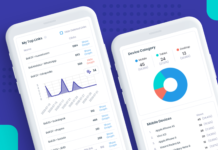
Uniqode’s 2026 research found that only 12% of surveyed marketers connected QR code activity to revenue impact. This suggests that measuring what happens after a scan remains an important challenge for marketers.
How to fix it: Give each campaign a clear objective and track the metrics that matter.
| Campaign goal | What to measure |
|---|---|
| Brand awareness | Scans and engaged visits |
| Lead generation | Completed sign-ups or inquiries |
| Online sales | Purchases and attributed revenue |
| Event promotion | Registrations and attendance |
| Creator promotion | Portfolio visits and bookings |
Where possible, use distinct QR codes or campaign tracking parameters for different placements. For example, a café could compare scans from takeaway cups, street posters, and loyalty cards. This helps you identify which placements attract attention and which campaigns deserve further investment.
6. Treating the QR Code as the Finish Line
Someone scans your code, visits your page, and reads the information. Then they leave because there’s no obvious next step.
You’ve attracted their attention, but you haven’t made it easy to continue.
A well-designed QR experience should help people move naturally from curiosity to action.
How to fix it: Give visitors a relevant next step based on what brought them there.
- A product guide can link to related products.
- A photographer’s portfolio can include a booking option.
- An event page can offer registration and schedule details.
- A restaurant menu can provide ordering information.
- A business card can lead to contact details, services, and social profiles.
Avoid overwhelming visitors with too many buttons. Choose the actions that best support their needs and your campaign’s objective.
For freelancers, creators, and small businesses, HeyLink.me makes it possible to bring important destinations together on one customizable page. You can give visitors a clear path to explore your work, connect with you, or take the next step.
Remember to check your links regularly, update outdated information, and monitor performance after launch. A QR code is an ongoing connection between your business and your audience – not a one-time design task.
Ready to connect your offline presence with your online world?
Create your HeyLink.me page, bring your important links together, and give every scan somewhere meaningful to go.