

















There’s a strange kind of frustration that comes with marketing online. You post a link. People click. Maybe they buy, maybe they don’t. And you’re left staring at your screen thinking… what actually happened?
That’s where a tracking pixel changes everything.
For creators, small businesses, and personal brands using HeyLink.me, understanding how tracking pixels work isn’t just “advanced marketing.” It’s survival. Without data, you’re guessing. With data, you’re steering the ship.
This article breaks down what tracking pixels are and why they matter.
If you’re ready to implement one, you can follow the step-by-step setup guide.
Let’s get into it.
What Is a Tracking Pixel – Really?
A tracking pixel sounds technical, maybe even intimidating. It’s not.
At its core, a tracking pixel is a tiny piece of code that collects data about user behavior. When someone lands on a page, that pixel fires. Quietly. Invisibly. It sends information back to an ad platform or analytics dashboard.
Think of it like a receipt printer in the background of your store.
Someone walks in? Receipt printed.
Someone adds to cart? Receipt printed.
Someone buys? Receipt printed.
Except instead of paper, it’s data.
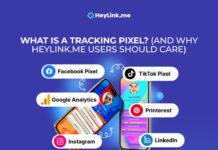
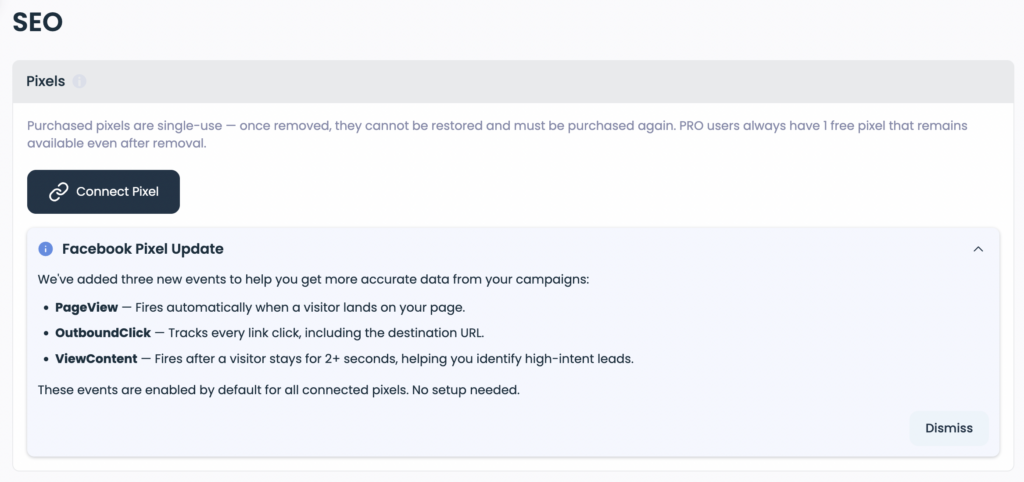
The most popular example? The Facebook pixel (now technically Meta Pixel). It tracks actions people take after clicking your ads. This lets you:
- Measure conversions
- Optimize ads
- Retarget visitors
- Build smarter audiences
- Reduce wasted ad spend
Without it, you’re just tossing ads into the void and hoping for magic.
Why HeyLink.me Users Should Care About Pixels
HeyLink.me is simple. That’s the beauty of it. One link. Multiple destinations. Clean interface. Easy to share in bios.
But simple doesn’t mean basic.
If someone clicks from Instagram to your HeyLink.me page, then clicks through to:
- Your product store
- Your newsletter sign-up
- A digital course
- A booking page
Wouldn’t it be powerful to know which button they clicked?
Here’s the hard truth: social platforms don’t give you enough insight on their own.
Using a tracking pixel on HeyLink.me unlocks data like:
- Which bio link block converts best
- How many visitors come from paid traffic
- Which campaigns generate actual buyers
- How to retarget “almost customers”
Honestly, without pixel tracking, scaling paid traffic feels like driving blindfolded.
Understanding the Facebook Pixel Before Installing
Before diving into setup, a quick grounding moment.
The Facebook pixel is a snippet of code generated inside Meta Ads Manager. It connects your external traffic – like HeyLink.me visitors – back to your ad account.
It tracks events such as:
- Page view
- Lead submission
- Add to cart
- Purchase
- Custom conversions
If someone clicks your HeyLink.me link from a Facebook ad, the pixel recognizes them. Later, you can retarget that exact visitor.
When Should You Install a Pixel?
Short answer? Immediately.
Longer answer – install before running ads.
Even if not using paid promotion yet, collecting visitor behavior data early gives you:
- Warmer audiences later
- Performance insights
- Historical comparison
Pixels work best when they’ve had time to learn.
Waiting delays growth.
👉 Ready to set it up?
Read the full guide: How to Install Tracking Pixels on HeyLink.me?
Final Thoughts on Using Tracking Pixels on HeyLink.me
There’s something satisfying about clarity.
When using a tracking pixel on HeyLink.me, the chaos of online marketing starts to calm down. Numbers replace assumptions. Actions replace guesses.
The Tracking pixels aren’t just a technical add-on. It’s feedback. It’s awareness. It’s precision.
For creators building an audience.
For entrepreneurs scaling ads.
For brands optimizing conversion paths.
Data makes the difference.
And the barrier to entry? A few lines of code.
Simple. Powerful. Slightly underused, if we’re being honest.
The question isn’t whether to install a tracking pixel.
The real question is – how much growth are you leaving untapped without one?